Mission Control.
Claude is my project manager.
A local command center for everything I build: one-click launch for every project, plus a Kanban board that Claude keeps current from our conversations.
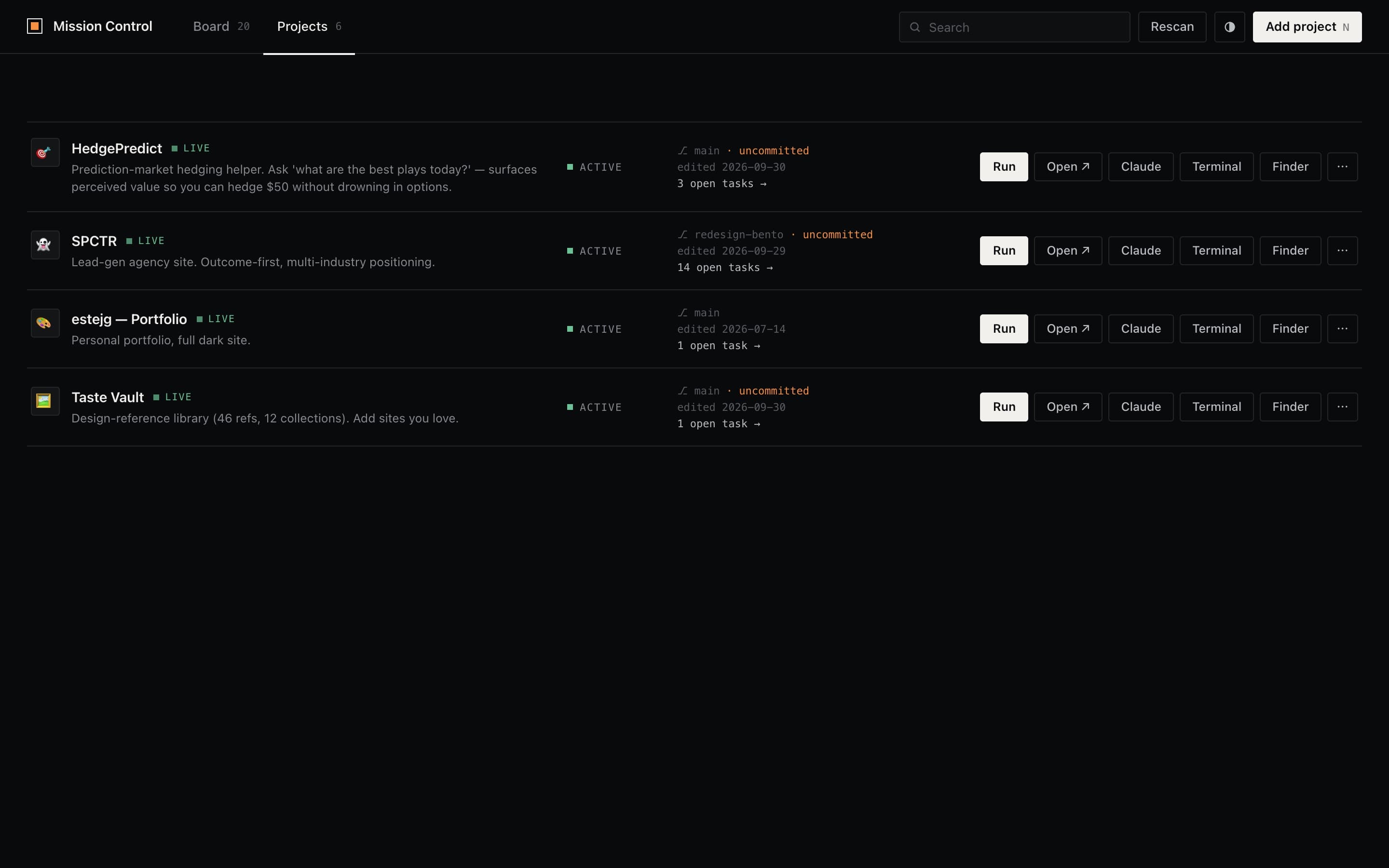
Claude Code isn't visual. My brain is.
I build everything with Claude Code in a terminal. That's fast, but my projects were spread across folders, each with its own run command, and tasks we agreed on got lost in chat scrollback.
I wanted one screen that shows every project, launches any of them in a click, and tracks what's next, without making me the one who keeps it updated.
A launcher, then a board.
Each project card shows live data: git branch, uncommitted changes, last edit, and a Live badge found by checking the dev server's port. The buttons really do things: start the dev server, open Terminal, open Finder, or open Claude Code already in that folder.
The Board tab is a Kanban with Not started, Up next, In progress, Blocked and Done. Claude acts as project manager: when we decide something in conversation, Claude adds the task or moves the card through a small CLI. I just look at the board.
The first version looked like generic AI output: purple, bubbly, stock stat boxes. I scrapped it and rebuilt it in clean dark mode with sharp corners and one warm accent. Cards glide at 60fps using the FLIP technique.
One file, two writers.
The browser and Claude both edit the same tasks.json. A tiny shared store module makes them take turns so neither overwrites the other.
- Me, in the browserDrag cards, edit in a side panel, filter by project or owner
- Claude, in the terminaltask.py add / move, called on its own during our sessions
- tasks_store.pyFile lock + atomic write, shared by server and CLI
- tasks.jsonOne plain file: readable, diffable, no database
What this taught me about building with AI.
Giving an AI a tool, not a UI
Claude can't click a Kanban board, but it can run a command. A 30-line CLI turned Claude from someone I report to into someone who keeps the board current.
Small moves beat whole-file saves
The page sends 'move this card' instead of 'here's the whole board', so an open tab can never wipe a task Claude just added.
Build around how you already work
I already talk to Claude all day. The board fits that habit, so it stays current without a new routine.
The parts that didn't work the first time.
Version one looked like every other AI-generated dashboard.
Taste is part of the spec. I wrote my design rules down (dark, sharp, calm, 60fps) and now every build gets checked against them.
Two writers, one file: the browser could overwrite Claude's edits.
Shared state needs a single write path with a lock, and edits should be operations, not snapshots.